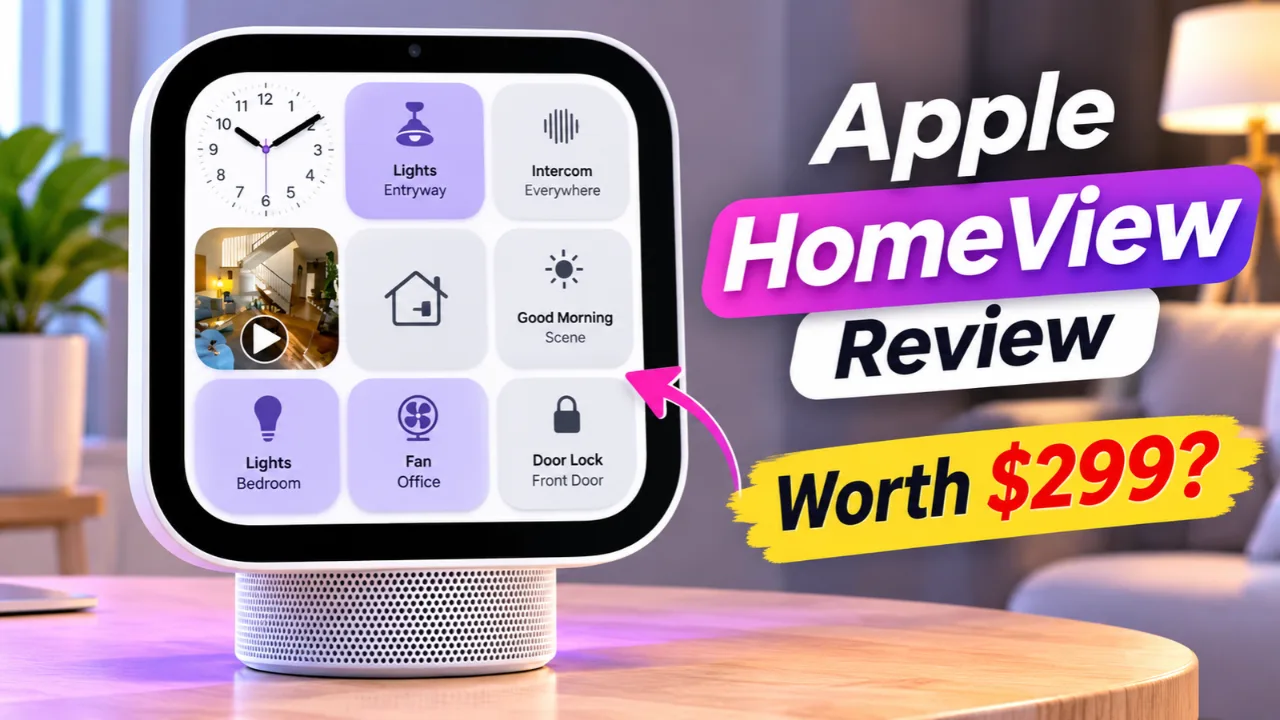
Apple’s newest smart home device, Apple HomeView, officially launches on November 13, but early previews and developer testing are already revealing what buyers can expect. Priced at $299, HomeView combines a 7-inch Liquid Retina display, Siri AI, FaceTime, Apple Intelligence, and smart home controls into one device. It also introduces a very Apple-specific approach to software one that could be either a major advantage or a limitation depending on your household.
For U.S. shoppers comparing Apple HomeView with the Amazon Echo Show or Google Nest Hub, the biggest questions are straightforward: Is it worth $299? Which smart home is it best for? And what happens to your existing Apple devices?
Read Also-iOS 27.3 Siri Update Arrives: What the New AI Can Do Today
Is Apple HomeView Worth the $299 Price?
Whether Apple HomeView is worth buying depends less on its hardware and more on how invested you already are in Apple’s ecosystem.
For $299, buyers receive:
- 7-inch Liquid Retina display
- A18 chip
- Apple Intelligence-powered Siri AI
- 12MP Center Stage camera for FaceTime
- Voice and facial recognition for up to six household members
- Smart home dashboard capable of viewing up to nine camera feeds simultaneously
- Tabletop and wall-mounted versions at the same price
If your home already revolves around an iPhone, HomeKit accessories, Apple Music, FaceTime, and iCloud, HomeView becomes much more than another smart speaker. Siri AI can recognize who’s standing in front of the display and surface personal information such as Messages, Calendar events, Reminders, and playlists while keeping other family members’ data private.
However, households using Android phones or multiple smart-home ecosystems may find less value because many personalized features depend on a paired iPhone or iPad.
Apple HomeView vs. Echo Show vs. Nest Hub
For many Americans, the real comparison isn’t between HomeView and another Apple product, it’s between Apple, Amazon, and Google.
| Feature | Apple HomeView | Amazon Echo Show | Google Nest Hub |
| AI Assistant | Siri AI | Alexa | Google Assistant |
| Display | 7-inch Liquid Retina | Multiple sizes | 7-inch display |
| Smart Home | HomeKit + Matter | Alexa ecosystem | Google Home |
| Multi-user Recognition | Face + Voice | Voice | Voice |
| Video Calling | FaceTime | Alexa Calling | Google Meet |
| Price | $299 | Lower starting prices | Lower starting prices |
Where Apple HomeView stands out:
- Premium display quality
- Apple Intelligence integration
- Face recognition for personalized experiences
- Strong privacy architecture
- Tight integration with Apple devices
Where rivals still hold advantages:
- More affordable entry prices
- Broader compatibility across mixed-device households
- Larger third-party ecosystems in some smart-home categories
Read Also-Deepfake Apps Are Hiding Better Than Ever: How to Protect Your Photos Now
What Does Apple HomeView Mean for Your Existing Apple Devices?
One concern many buyers have is whether HomeView replaces products they already own.
For most people, the answer is no.
Instead, HomeView acts as a central dashboard that complements your Apple ecosystem.
It works alongside:
- iPhone
- iPad
- HomePod
- Apple TV
- Apple Watch
- HomeKit and Matter-compatible smart home accessories
If you already use HomePods for audio, HomeView becomes the visual control center. You can:
- Control lights, thermostats, locks, and cameras.
- View live security camera feeds.
- Join FaceTime calls.
- Display family calendars and reminders.
- Use Siri AI with personal context pulled from your iPhone.
Rather than replacing existing Apple hardware, HomeView is designed to tie everything together.
One Important Limitation: No App Store
One of the biggest talking points surrounding HomeView is what isn’t included.
Unlike the iPhone or iPad, HomeView has no App Store.
Instead:
- Apple preinstalls its own core apps.
- Compatible third-party audio and video apps appear through a CarPlay-style framework linked to a nearby iPhone or iPad.
- Developers cannot distribute standalone HomeView apps in the traditional way.
Developer testing has also shown that HomeView’s operating system is more tightly controlled than expected, with developers working within Apple’s predefined templates rather than a fully open platform.
For everyday users, this may not matter if their favorite services already support Apple’s framework. For developers and power users hoping for an iPad-like experience, it is a notable limitation.
How to Decide if HomeView Is Right for You
Before pre-ordering or buying, consider these questions:
- Do you primarily use an iPhone?
- Do you already own HomeKit or Matter-compatible smart devices?
- Do you regularly use FaceTime, Apple Music, and iCloud?
- Would a shared family smart display improve your daily routine?
- Are you comfortable with Apple’s curated software experience rather than an open app ecosystem?
If you answered “yes” to most of these, HomeView is likely a strong fit. If your household relies on Android devices or expects downloadable apps similar to a tablet, you may want to compare it carefully with competing smart displays.
Final Thoughts
Apple HomeView is not trying to be another tablet or another smart speaker. Instead, it is a dedicated smart home hub built around Siri AI, privacy, and Apple’s connected ecosystem. Its premium hardware, intelligent personalization, and seamless integration make it one of Apple’s most ambitious home products in years.
At $299, it isn’t the least expensive smart display on the market, and its lack of an App Store means buyers should understand its software limitations before purchasing. But for households already invested in Apple devices, HomeView could become the central screen that finally brings the company’s ecosystem together in one place.
Read Also-Apple’s Touchscreen MacBook Pro Arrives With Major Upgrades