
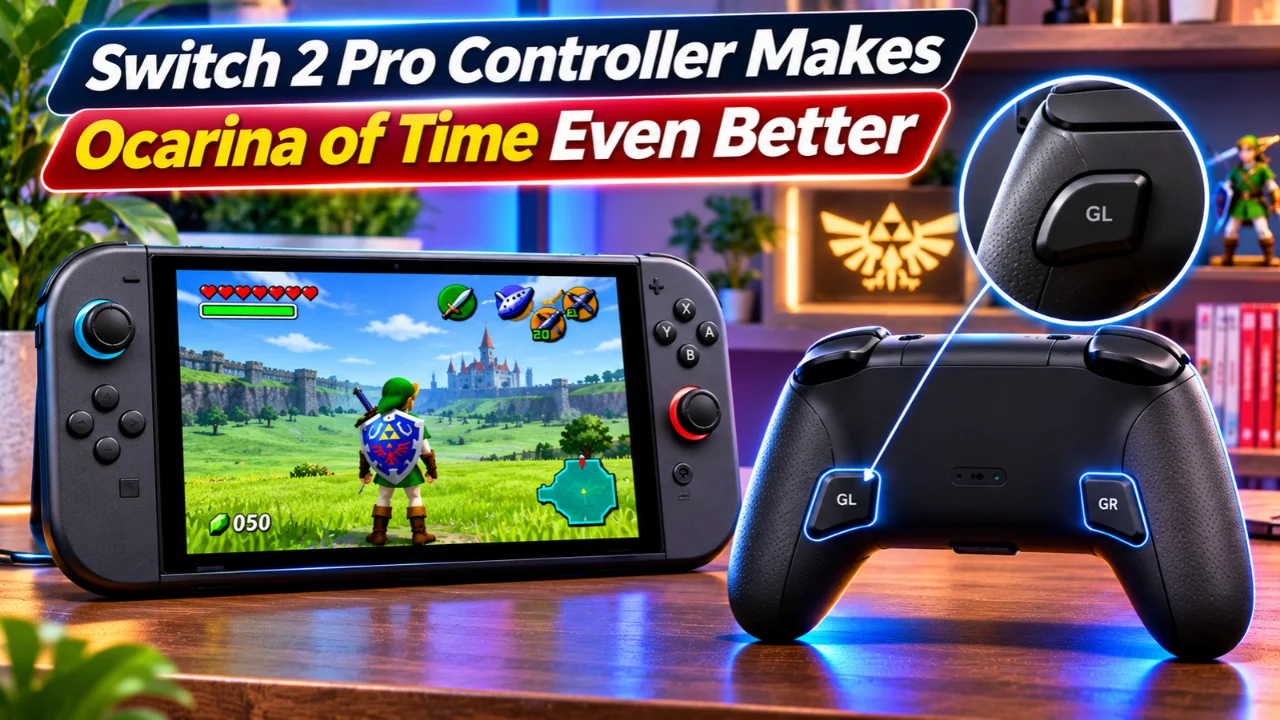
Nintendo’s newly released The Legend of Zelda: Ocarina of Time for Switch 2 is already earning praise for its modern visuals, smoother gameplay, and redesigned controls. But during the first weekend after launch, another topic has started trending among players in the United States: Ocarina of Time Switch 2 controls.
Many players are discovering that the Nintendo Switch 2 Pro Controller can make the experience significantly more comfortable, especially during long exploration sessions and combat. Thanks to the controller’s programmable GL and GR back buttons, players can customize key actions without removing their thumbs from the analog sticks, making movement and camera control feel much more natural.
Read Also-GameMill Games Are Being Delisted: Buy Before They’re Gone?
Why Players Are Talking About the New Controls
The Switch 2 version introduces several gameplay improvements that weren’t available in the original Nintendo 64 release.
Some of the biggest control upgrades include:
- Free camera using the right stick
- Dedicated Jump button
- Dash/Sprint function
- Improved aiming
- Faster movement
- More responsive combat
These additions modernize the classic adventure, but they also mean players are using more buttons at once than before. While exploring Hyrule, many users found themselves holding the sprint button while simultaneously adjusting the camera, creating a less comfortable grip on standard controls.
How the Switch 2 Pro Controller Improves Gameplay
The discussion gained momentum after players began sharing an easy solution using the GL and GR programmable rear buttons on the Switch 2 Pro Controller.
Instead of holding the standard face buttons while moving the camera, players can assign commonly used actions to the rear buttons.
Popular remapping choices include:
- GL → Dash (A)
- GR → Jump (X)
This lets players:
- Keep full camera control.
- Sprint comfortably across Hyrule.
- React faster during combat.
- Reduce finger movement during long play sessions.
Because the original face buttons continue to work normally, players don’t lose any functionality after remapping.
New Features Included in Ocarina of Time on Switch 2
Nintendo didn’t simply increase the game’s resolution. The Switch 2 version introduces several meaningful gameplay improvements designed for modern hardware.
Highlights include:
- Completely upgraded visuals
- Improved performance
- Modern camera controls
- Jump and dash mechanics
- Expanded dialogue
- Fully voiced cutscenes
- Symphonic orchestral soundtrack
- Faster loading times
Nintendo also released Version 1.1.1, which adds ZELDA NOTES support and includes additional gameplay improvements and bug fixes.
Read Also-Home Assistant Marketplace Is Here: Migrate from HACS Today
Should You Buy the Switch 2 Pro Controller?
If you already own the controller, taking a few minutes to customize the back buttons can noticeably improve everyday gameplay.
It may be especially useful for players who:
- Spend hours exploring Hyrule.
- Prefer smoother camera movement.
- Want easier sprint controls.
- Frequently use combat and movement together.
Players using Joy-Con controllers can still enjoy the game, but they won’t have access to the dedicated GL and GR back buttons that make these shortcuts possible.
How to Customize Ocarina of Time Switch 2 Controls
Setting up the back buttons only takes a minute.
- Connect your Nintendo Switch 2 Pro Controller.
- Launch The Legend of Zelda: Ocarina of Time.
- Hold the HOME button to open the quick settings menu.
- Select GL/GR Button Mapping.
- Assign Dash or Jump to either rear button.
- Return to the game and test the new layout.
You can always adjust the mapping later until you find a setup that feels most comfortable.
Final Thoughts
The renewed attention around Ocarina of Time Switch 2 controls shows that even small quality-of-life improvements can significantly change how a classic game feels. While Nintendo’s remake already introduces smoother movement, modern camera controls, and upgraded visuals, the Switch 2 Pro Controller’s customizable rear buttons give players another way to tailor the experience to their play style.
For players revisiting Hyrule or experiencing the adventure for the first time the updated control options are quickly becoming one of the remake’s most appreciated features.
Read Also-Pokémon GO Explorer Gadget Update Is Live: Here’s What Changed Today