If your Kasa Smart Plug suddenly stops responding, won’t reconnect to Wi-Fi, or refuses to appear inside the Kasa app, a reset is often the quickest fix. The good news is that most Kasa smart plugs can be reset in under two minutes, allowing you to reconnect them without replacing the device.
For homeowners across the United States, where smart home devices have become part of everyday life, knowing the correct reset method can save time and prevent unnecessary troubleshooting. Here’s exactly how to do it and what to try if the reset doesn’t solve the problem.
Read Also-Why Is My Smart Plug Flashing Red/Blue? Quick Fixes That Work
Why You Might Need to Reset Your Kasa Smart Plug
Most Kasa Smart Plug issues are software- or network-related rather than hardware failures. A reset clears temporary configuration problems and prepares the plug ,for a fresh setup.
Common reasons to reset include:
- Wi-Fi password has changed
- Router has been replaced or upgraded
- Device won’t connect to the Kasa app
- Plug appears offline
- Voice assistants like Alexa or Google Home stop responding
- LED status light is flashing unexpectedly
- You’re giving or selling the plug to someone else
If your smart plug still powers appliances normally but isn’t responding through the app, resetting is usually the recommended first step.
Soft Reset vs Factory Reset: Know the Difference
Before pressing any buttons, it’s important to understand the two reset options available on most Kasa Smart Plugs.
Soft Reset
A soft reset simply restarts the smart plug without erasing your saved settings.
Choose this if:
- The plug feels slow.
- The app isn’t updating correctly.
- Automations stopped working temporarily.
Factory Reset
A factory reset removes all saved information, including:
- Wi-Fi credentials
- Device name
- Room assignments
- Automation settings
- Connected voice assistant integrations
After a factory reset, you’ll need to set the plug up again through the Kasa Smart app.
Read Also-Dyson Vacuum Pulsing Off Even After Cleaning Filter? 12 Proven Fixes
How to Reset a Kasa Smart Plug in Under 2 Minutes
Follow these simple steps to restore your smart plug.
Step 1: Plug It Into a Working Outlet
Ensure the smart plug is receiving power before attempting a reset.
Step 2: Locate the Power Button
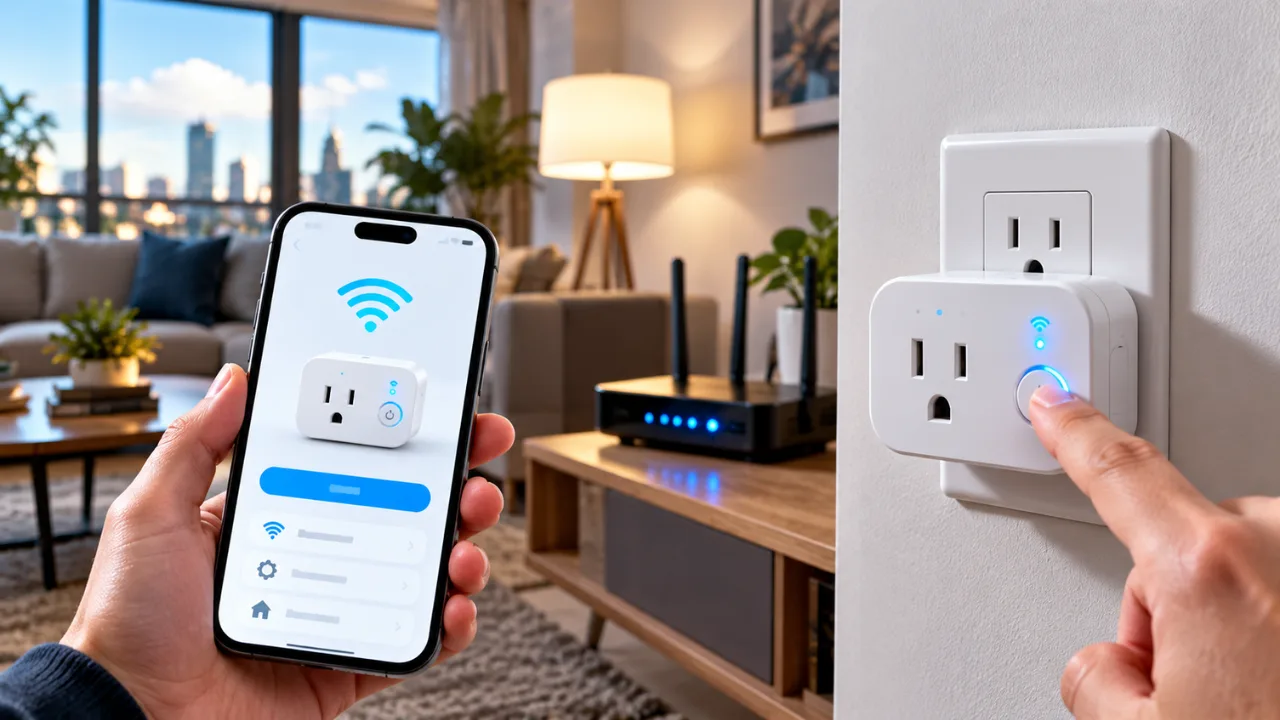
Most Kasa Smart Plug models include a physical power button on the side or front of the device.
Step 3: Press and Hold
For most current Kasa Smart Plug models:
- Hold the button for 5 seconds to restart the device (soft reset).
- Hold the button for 10 seconds or longer until the LED begins blinking rapidly to perform a factory reset.
Release the button once the LED changes to setup mode.
Step 4: Open the Kasa Smart App
Once reset:
- Open the Kasa Smart app.
- Tap Add Device.
- Select your smart plug model.
- Follow the on-screen instructions.
- Connect the plug to your 2.4 GHz Wi-Fi network.
Within a couple of minutes, the plug should reconnect and be ready for use.
Troubleshooting If the Reset Doesn’t Work
If your smart plug still won’t reconnect, try these additional fixes.
Check Your Wi-Fi Network
Many Kasa Smart Plugs support only 2.4 GHz Wi-Fi.
Verify that:
- Your router is broadcasting a 2.4 GHz network.
- The network isn’t hidden.
- The Wi-Fi password is correct.
Move Closer to the Router
Weak wireless signals can interrupt the setup process.
Try resetting the plug within the same room as your router before moving it back to its original location.
Update the Kasa App
Running an outdated app can occasionally cause connection problems.
Install the latest version from your phone’s app store before attempting setup again.
Restart Your Router
Power-cycle your router for about 30 seconds before reconnecting the smart plug.
Many temporary connectivity issues disappear after restarting the network.
Tips to Prevent Future Connection Problems
You can reduce the chances of needing another reset by following a few best practices.
- Keep router firmware updated
- Avoid overcrowded Wi-Fi channels
- Maintain a strong signal near smart devices
- Assign a recognizable device name
- Update smart plug firmware whenever available
- Don’t frequently change Wi-Fi network names or passwords
These simple habits help improve long-term smart home reliability.
How to Reset Your Kasa Smart Plug (Quick Checklist)
Need a fast reminder? Follow this checklist:
- Plug the device into a powered outlet.
- Press and hold the power button.
- Hold 5 seconds for a restart or 10+ seconds for a factory reset.
- Wait for the LED to blink.
- Open the Kasa Smart app.
- Tap Add Device.
- Connect to your 2.4 GHz Wi-Fi.
- Complete setup and test the smart plug.
Most users can finish the entire process in less than two minutes, making it one of the quickest smart home troubleshooting steps available.
Read Also-How to Bypass Eustanding Error Code on Whirlpool Washer (Step-by-Step Guide)